Usability Evaluation

Prof. Keith Andrews

ISDS, Graz University of Technology, Austria

Web site:
https://isds.tugraz.at/keith/

Slides:
https://keithandrews.com/talks/2024/2024-01-11-frequentis/

Thu 11 Jan 2024 14:00, Frequentis, Vienna.

Agenda

Full Course Notes

Introduction

Human Factors and Ergonomics

Traditionally:

Shape Coding for Aircraft Control Knobs

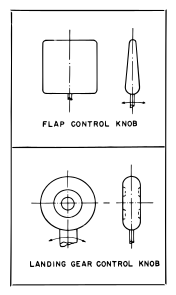
b17 flaps and landing gear
B17 flaps and landing gear.
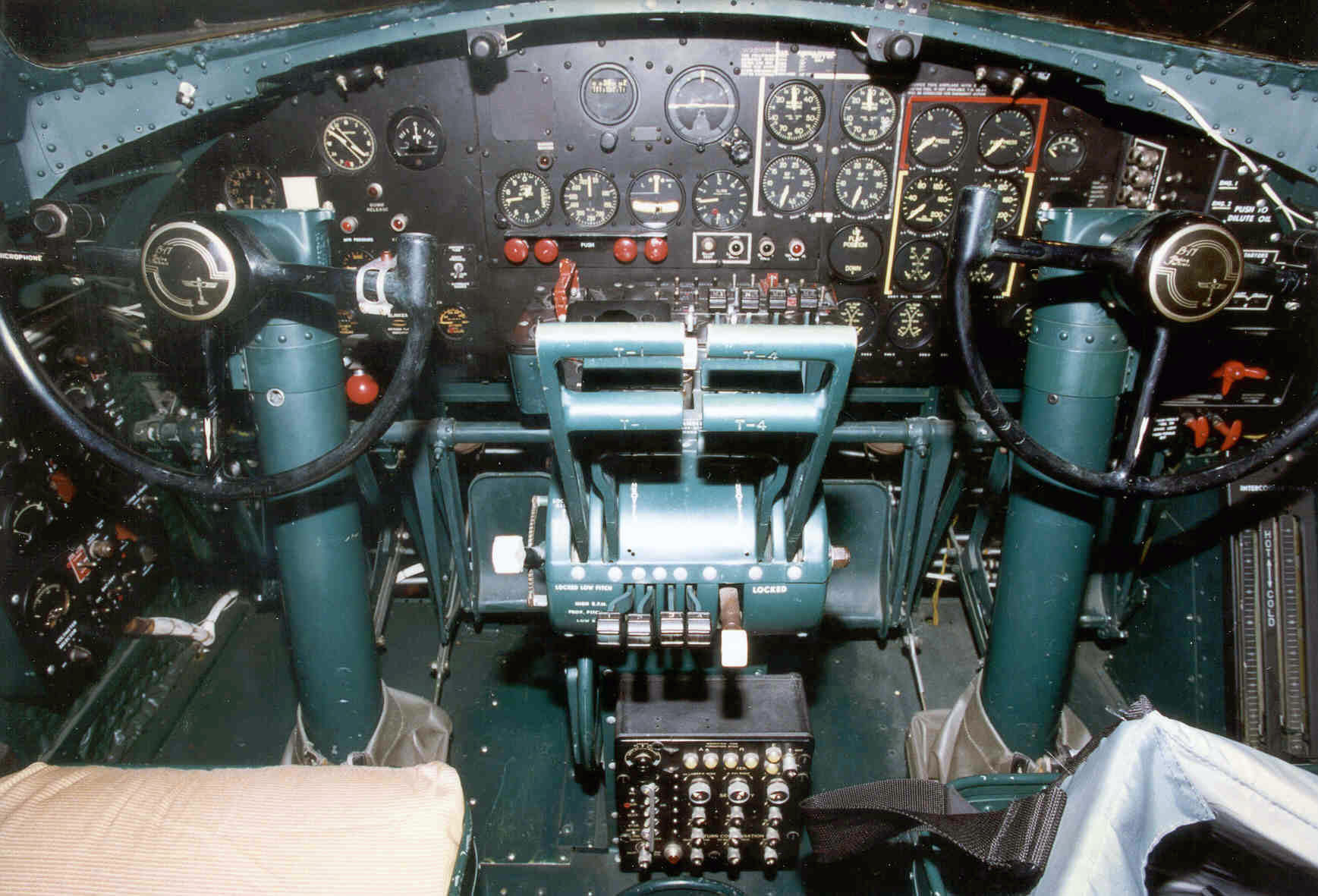
b17g cockpit controls
B17g cockpit controls.

Shape Coding for Aircraft Control Knobs 2

b17 flaps and landing gear controls
B17 flaps and landing gear controls.
Code of Federal Regulations
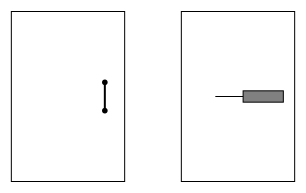
Shape coding for cockpit control knobs were later standardised.

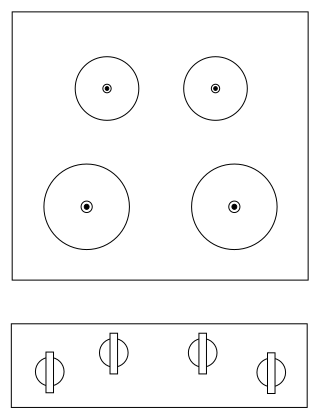
Shape Coding in Nuclear Power Station Control Room

b17 flaps and landing gear controls
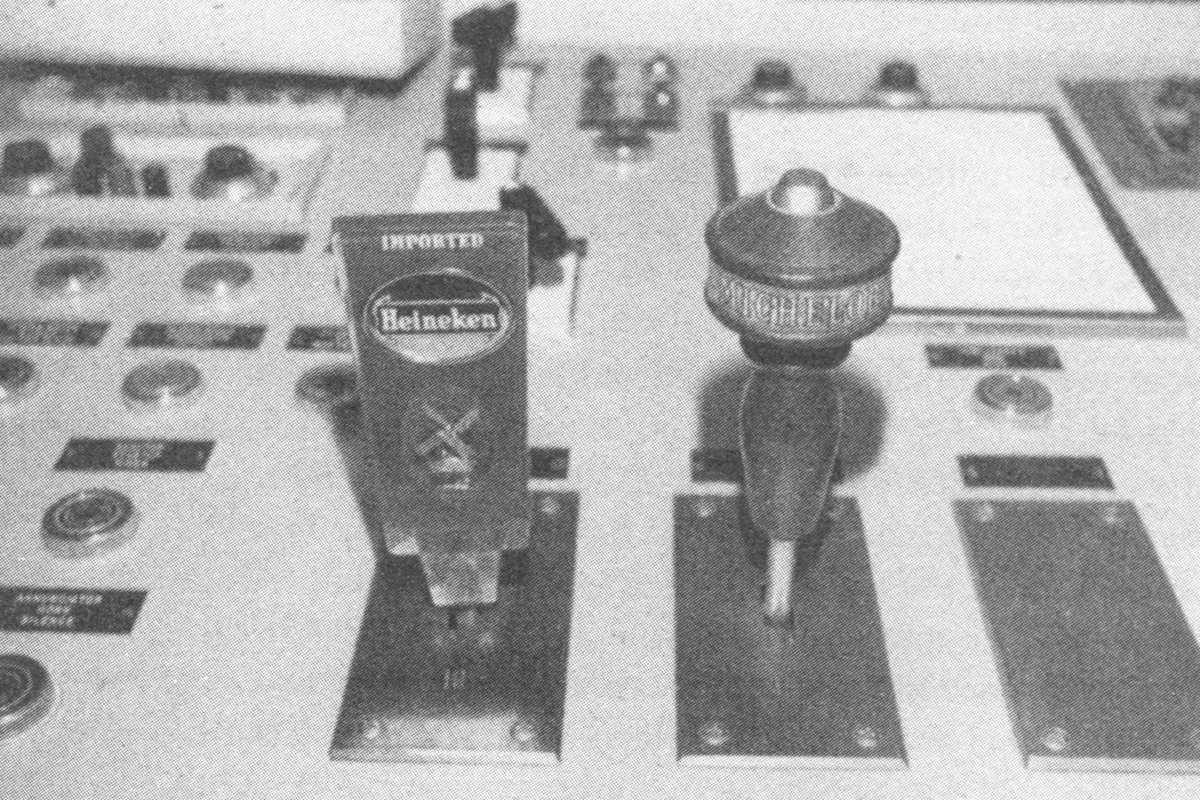
Beer tap handles mounted atop similar-looking knobs in the control room of a nuclear power plant to help operators distinguish between them.
Original photograph by Joseph Seminara [Seminara et al. 1976, page 8-4], scanned from Norman [1988, page 95] with kind permission from Don Norman.

Affordances

Affordances are the range of possible (physical) actions by a user on an artefact:

Don Norman, The Psychology of Everyday Things, 1988.

Affordances in Door Designs

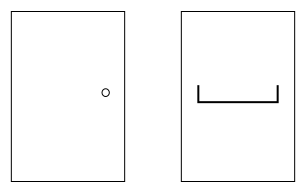
Ambiguous door designs.
Good use of affordances in door designs.

Video: Norman Doors

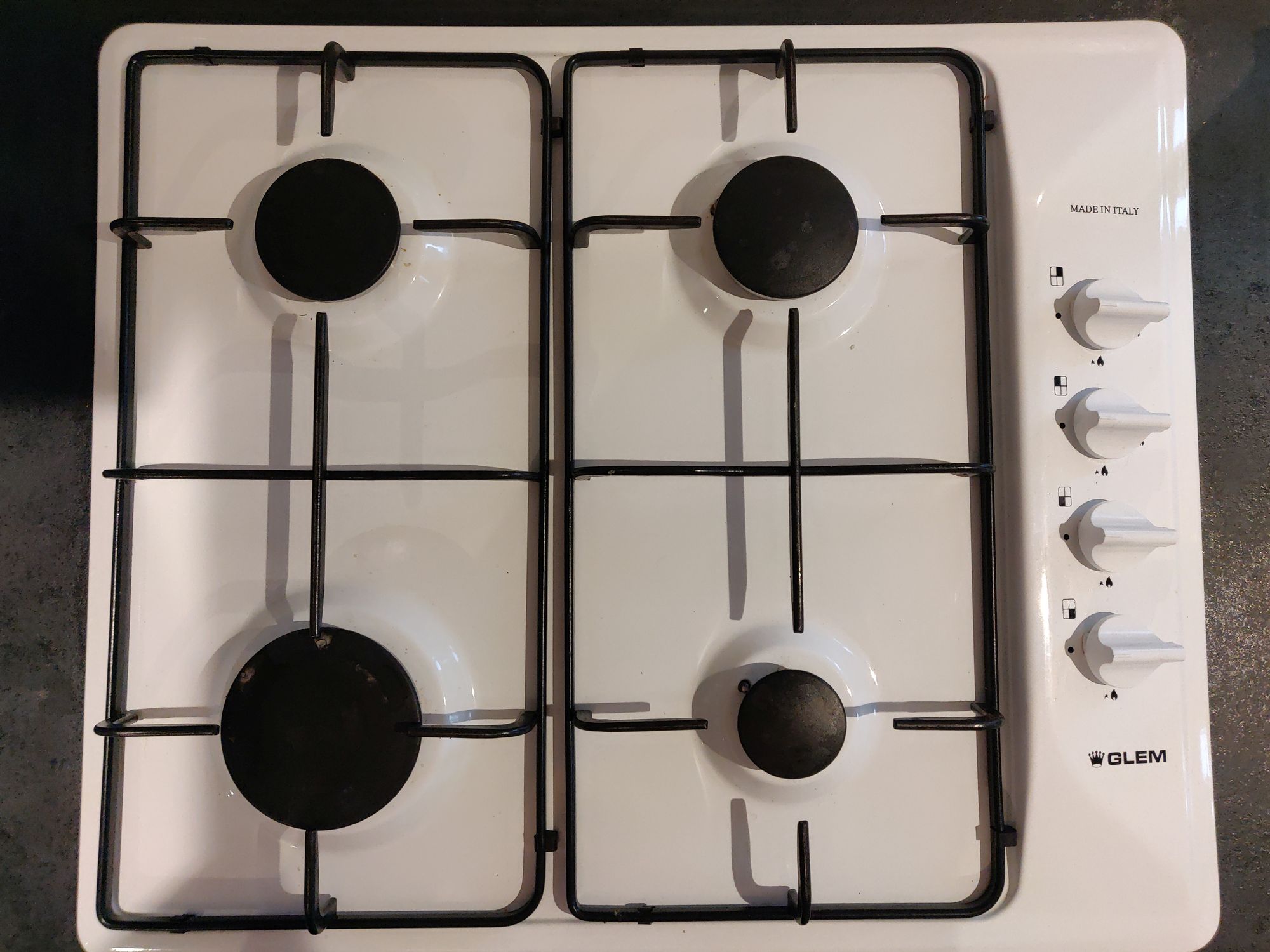
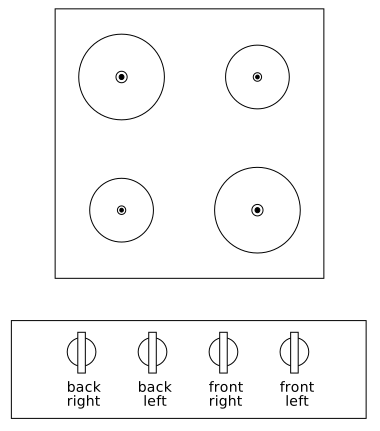
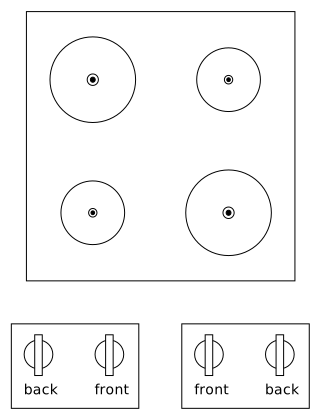
Mappings

UI Fails

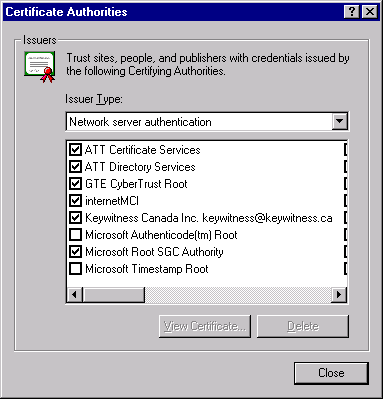
Images from the Interface Hall of Shame, used with permission.

Human-Computer Interaction

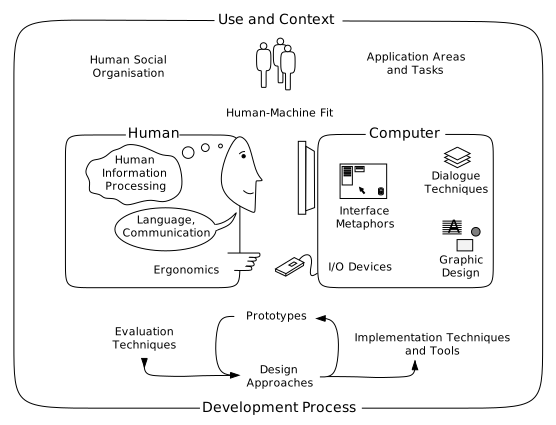
The field of HCI.
The broad field of HCI.
Redrawn and adapted by Keith Andrews from Figure 1 of the classic ACM SIGCHI Curricula for Human-Computer Interaction.

Usability Engineering Lifecycle

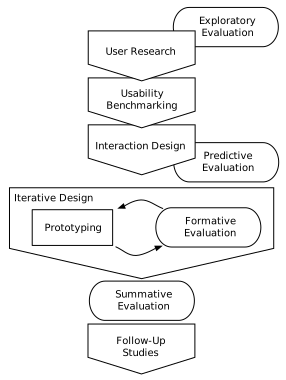
Usability Engineering Lifecycle
The usability engineering lifecycle.
Adapted by Keith Andrews from a figure kindly provided by Martin Loitzl.

Usability Evaluation Methods

Usability Evaluation Methods.

Modified Soup Analogy

Extending Robert Stake’s soup analogy [Stake 1976, page 19] to usability evaluation methods:

Heuristic Evaluation

Heuristic Evaluation (HE)

How to Conduct a Heuristic Evaluation;
https://nngroup.com/articles/how-to-conduct-a-heuristic-evaluation/

Usability Heuristics

10 Usability Heuristics for User Interface Design;
https://nngroup.com/articles/ten-usability-heuristics/

Classic 10 Generic Usability Heuristics

  1. Feedback [Visibility of System Status]

    Keep users informed about what is going on, appropriate feedback within reasonable time. For example: busy cursor [1–10s], progress indicator [>10s].

  2. Speak the Users’ Language [Match Between System and the Real World]

    Use words, phrases, and concepts familiar to the user, rather than system-oriented terms. Follow real-world conventions. Match users’ mental model. Beware of misleading metaphors.

  3. Clearly Marked Exits [User Control and Freedom]

    Users often select functions by mistake, need clearly marked “emergency exit”, so users can explore without penalty. Support undo and redo.

  4. Consistency [Consistency and Standards]

    Users should not have to wonder whether different words, situations, or actions mean the same thing. Follow platform conventions.

  5. Error Prevention

    Prevent a problem from occurring in the first place. For example: select file from menu rather than typing in name, confirmation before dangerous actions, beware of modes, avoid similar command names, warning if Caps Lock is activated when entering a password, etc.

  6. Recognition rather than Recall

    Make objects, actions, and options visible. Provide examples, default values, easily retrievable instructions.

  7. Accelerators [Flexibility and Efficiency of Use]

    Accelerators, unseen by novice user, can make expert user more efficient. For example: abbreviations, command keys, type-ahead, edit and reissue previous commands, menu of most recently used files, macros.

  8. Minimalist Design [Aesthetic and Minimalist Design]

    Every extra unit of information competes with the relevant units of information and diminishes their relative visibility. “Less is more”.

  9. Good Error Messages [Help Users Recognise, Diagnose, and Recover from Errors]

    Error messages should be in plain language (no codes or jargon), precise, constructive, and defensive.

  10. Help and Documentation

    Easy to search, focused on the user’s tasks. Liberal use of recipes and examples.

Performing a Heuristic Evaluation

Step-by-step recipe for performing a HE, in five phases:

  1. Preparation
  2. Individual Evaluations
  3. Aggregation
  4. Severity Ratings
  5. Debriefing and Report

1. Preparation

2. Individual Evaluations

3. Aggregation

4. Severity Ratings

5. Debriefing and Report

Examples of HE

Thinking Aloud Testing

Thinking Aloud Testing (TA)

Steve Krug; Rocket Surgery Made Easy; New Riders, 2009. ISBN 0321657292.

Carol Barnum; Usability Testing Essentials; 2nd Edition, Morgan Kaufmann, 2020.
ISBN 0128169427.

Test Setup

A typical single room usability test setup.
A classical usability lab, including an observation room with a one-way mirror.

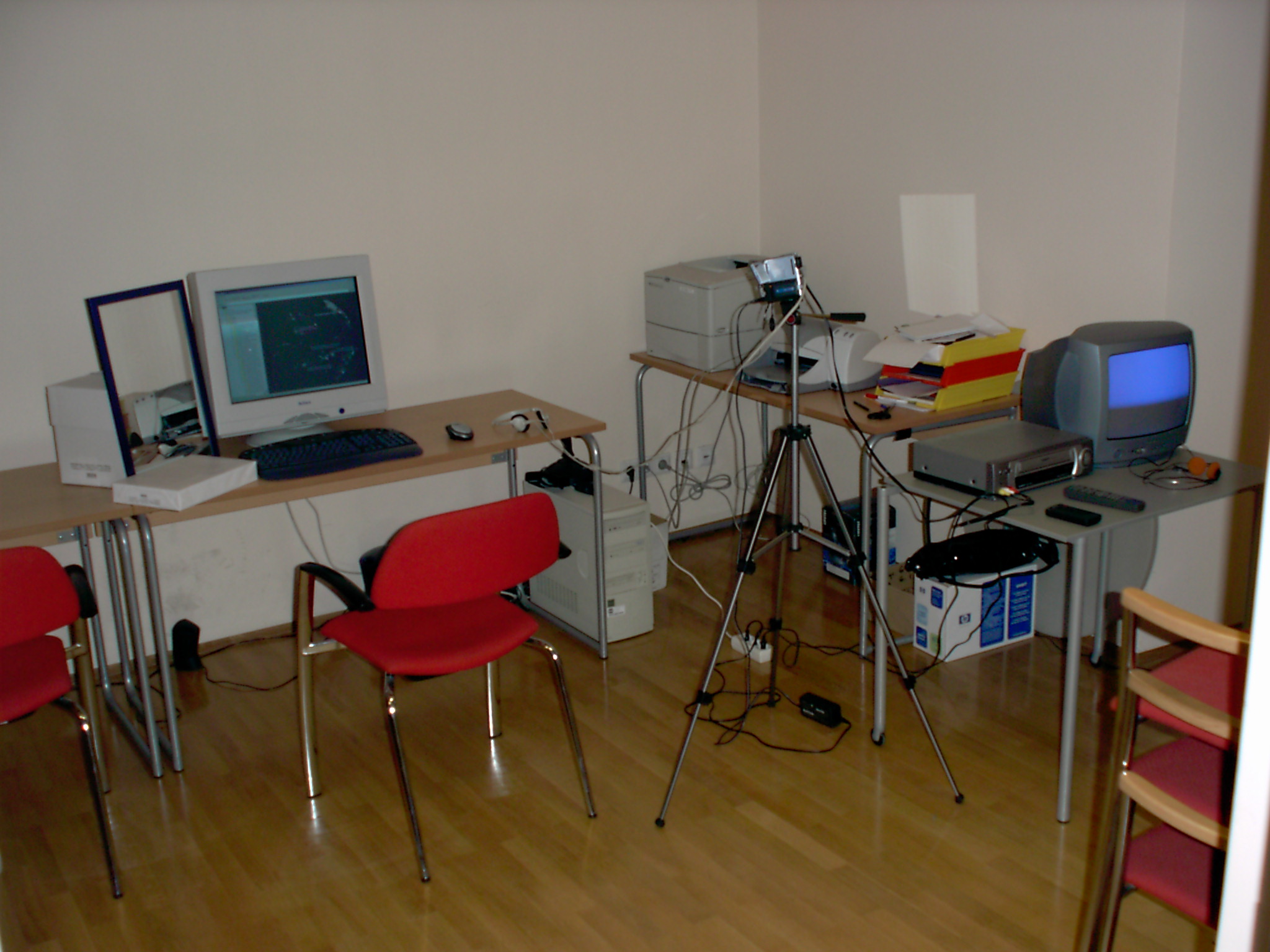
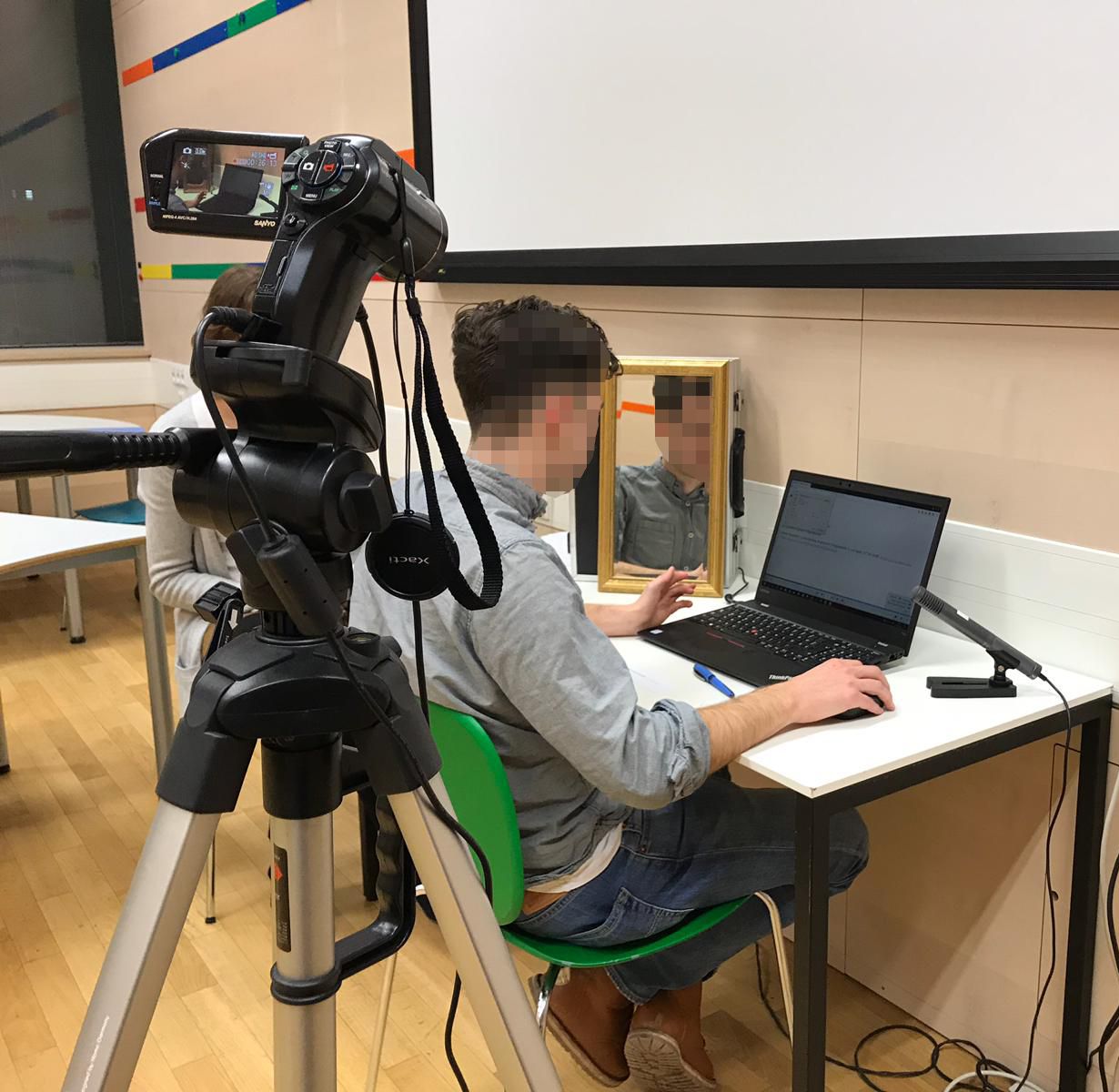
Test Setups in 2002 and 2019

Simple usability test setup in 2002.
Simple usability test setup in 2019.
Image used with kind permission of Angelika Droisner and Ana Korotaj.
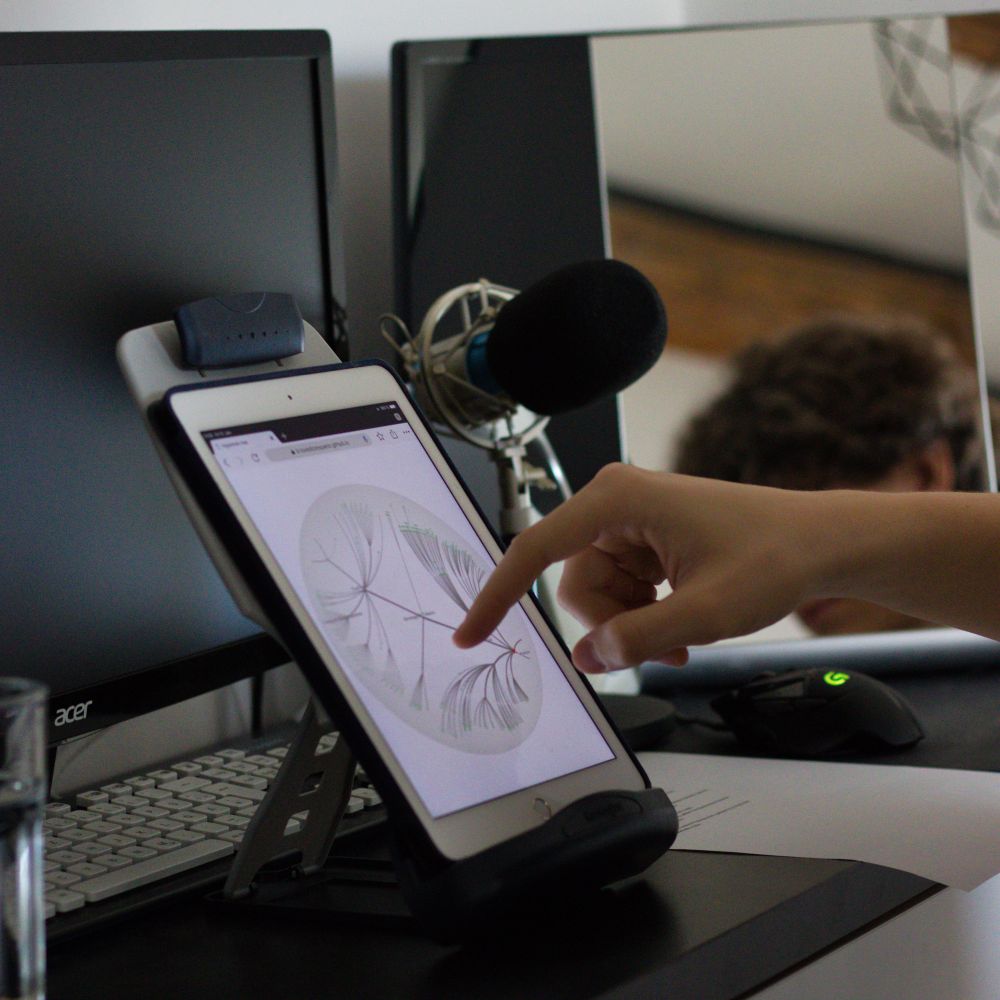
Mobile device testing in 2019.
Image used with kind permission of Chris Oser.

Test Checklist

  1. Preparation
    • Reset interface for new user.
    • Check that everything is ready in test room.
  2. Opening
    • Greet the participant.
    • Go through orientation script and set the stage.
    • Background questionnaire: facilitator asks and fills out form.
    • Ask user to read and sign consent and non-disclosure forms.
  3. Test Session
    • Move over to testing area (computer).
    • Start computerised session recording.
    • Provide any prior training.
    • Provide training of thinking aloud.
    • User begins with tasks.
    • User finishes last task.
  4. Closing
    • Interview: how was it?
    • Structured interview questions.
    • Individual interview questions arising from test.
    • Feedback questionnaire: user fills out form.
    • Thank participant, provide any remuneration, show participant out.
  5. Clean-Up
    • Summarise thoughts about this test.
    • Organise data sheets and notes.
    • Check and archive session recordings.

Examples of TA

Formal Experiments

Formal Experiments (FE)

Bill Albert and Tom Tullis; Measuring the User Experience, 3rd Ed; Morgan Kaufmann, 2022.
ISBN 0128180803.

Andy Field et al; Discovering Statistics Using R; Sage, 2012. ISBN 1446200469.

Video: Saving Lives by Design

Thank You

Web site:
https://isds.tugraz.at/keith/

These slides:
https://keithandrews.com/talks/2024/2024-01-11-frequentis/

Human-Computer Interaction Course Notes [242 pages PDF]
https://courses.isds.tugraz.at/hci/hci.pdf